Free offline PDF editor for Windows
EPDF opens a PDF on your computer, lets you click the text and change it, adds notes and images, and reads scans with OCR. No account, no upload, and it works without internet.
Download EPDF for Windows
Free. Choose the installer or the portable file on GitHub Releases.
Installer Setup.exe
Installs EPDF and can update itself from GitHub when you ask it to.
Download from GitHubPortable Portable.exe
Runs without installing. Keep it on a USB stick or in a folder.
Download from GitHub
- Price
- Free, no account
- System
- Windows 10 or 11, 64-bit
- Download size
- About 150 MB (OCR models included)
- Internet
- Not needed to edit or run OCR
- App language
- Turkish and English
- OCR languages
- Turkish, English, Portuguese
Source code on GitHub · Need a quick fix in your browser instead? Try the online PDF editor.
EPDF in use
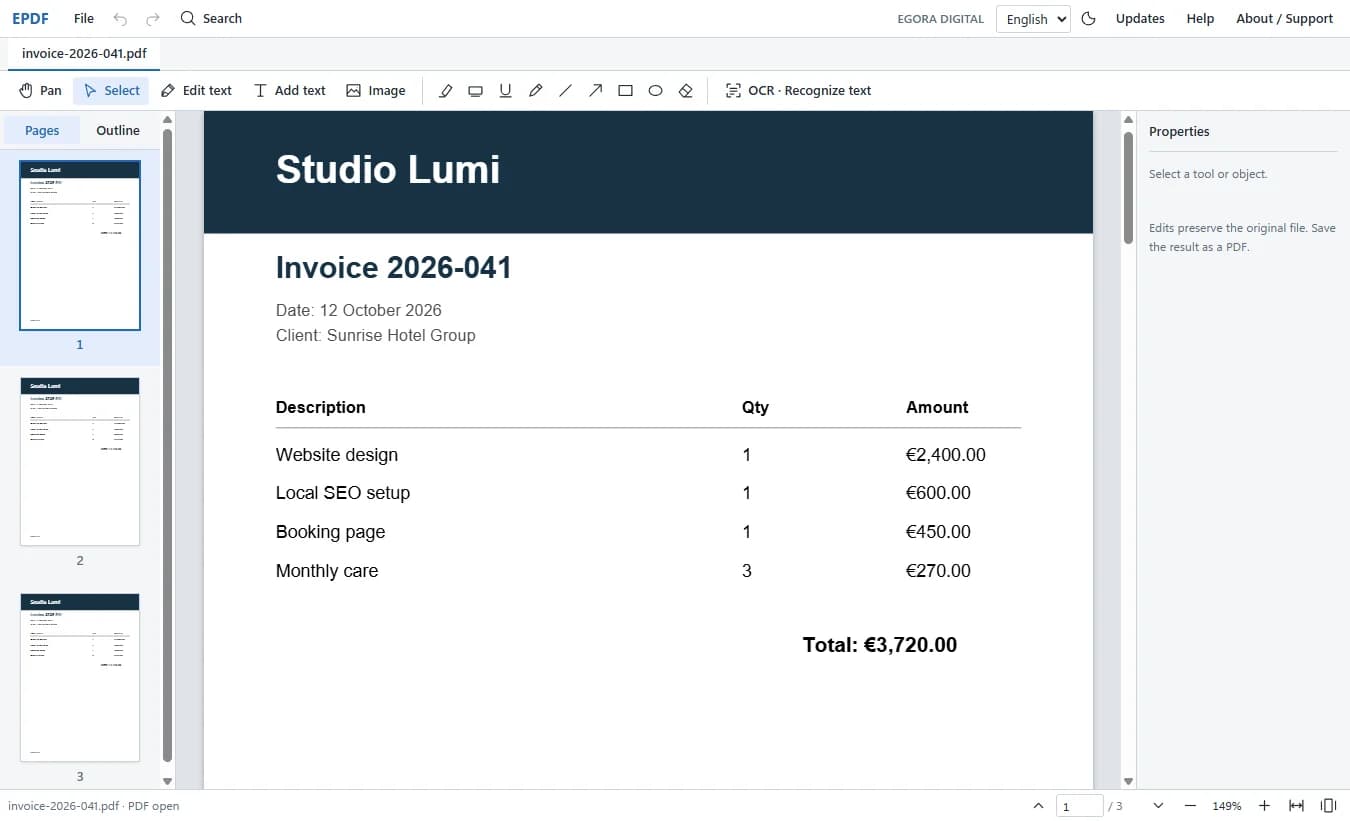
A PDF open in EPDF, with page thumbnails and the editing tools above it 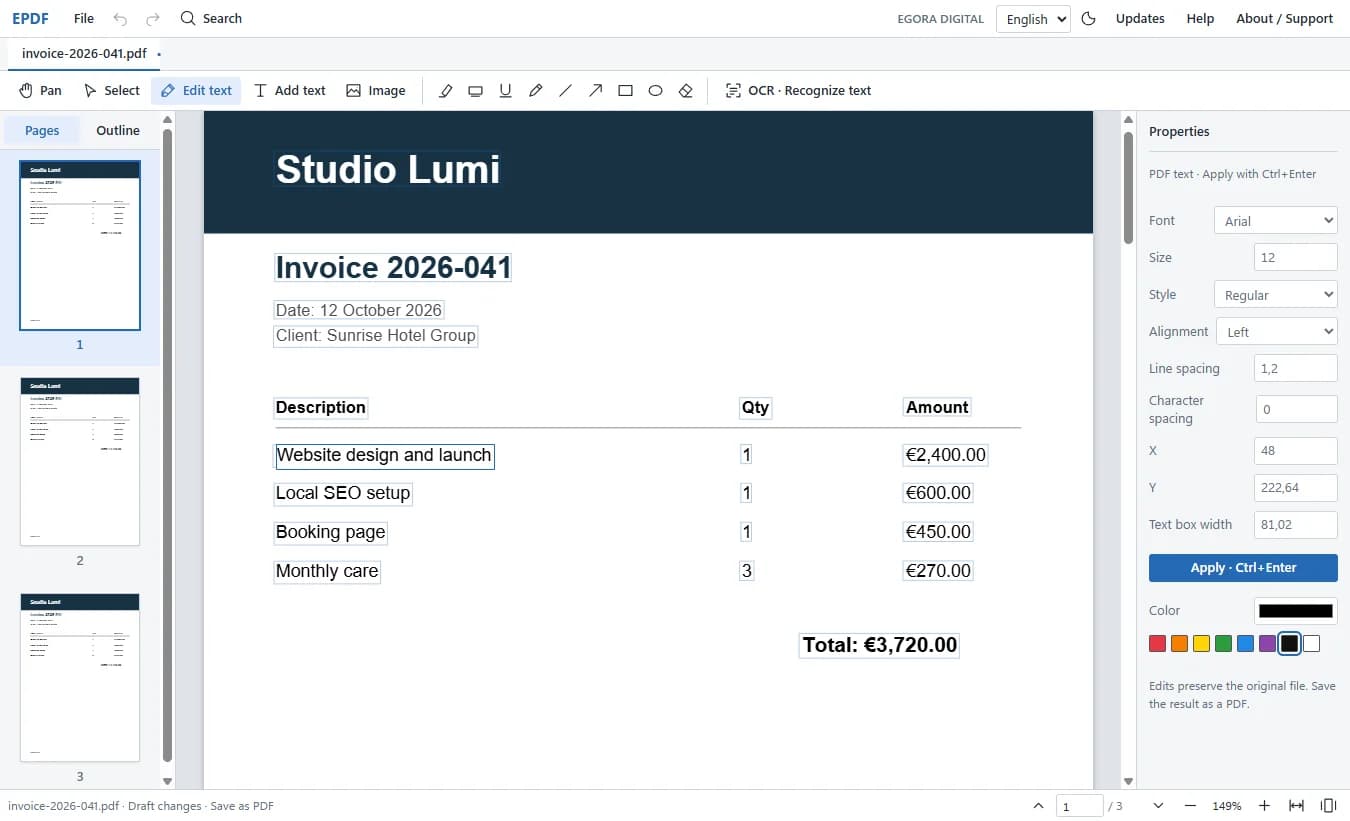
Editing a line of existing text, with font, size, colour and position controls on the right 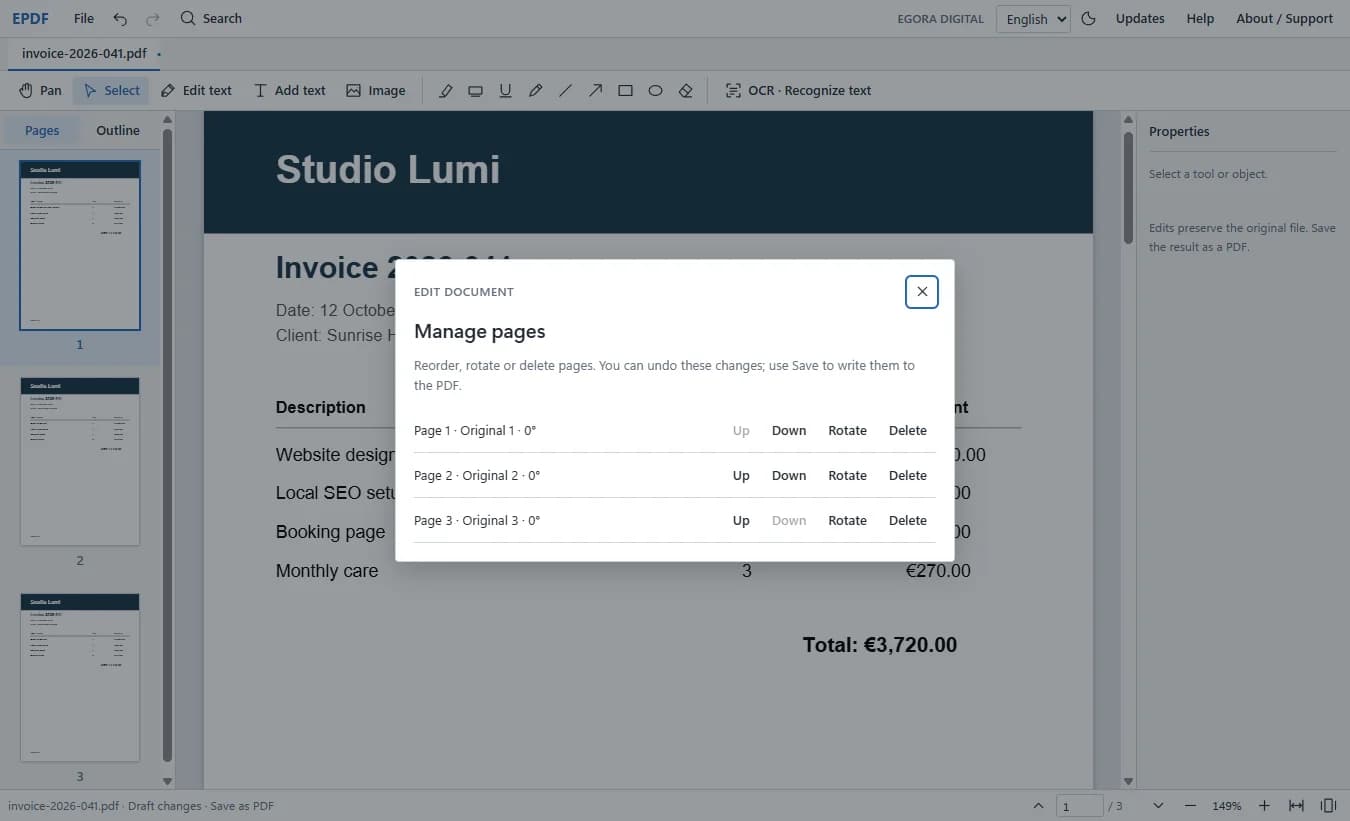
Managing pages: reorder, rotate or delete, and undo any change
What it is
A PDF editor that stays on your computer
EPDF is a free PDF editor for Windows made by EGORA Digital. It opens a PDF from your computer, lets you click a line of text and change it, add your own text and images, mark up pages, and reorder, rotate or delete pages. You save the result as a new PDF; the original file is left as it was.
It also reads scanned PDFs. Turkish, English and Portuguese OCR models are built into the app, so recognising a scanned page needs no internet, not even the first time. You can make a scan searchable, or change a line of a scan while the rest of the page stays exactly as scanned.
Unlike an online PDF editor, nothing is uploaded: your PDFs are opened and saved on your own computer. The app only goes online when you ask it to check GitHub for a newer version.
How to use it
From download to edited PDF in four steps
- 01
Download
Choose the installer (Setup) or the portable version on GitHub Releases. Both are for 64-bit Windows 10 and 11.
- 02
Install or run
Run Setup and follow the prompts, or open the portable file straight away without installing anything.
- 03
Open a PDF
Use File → Open, drag a PDF into the window, or let EPDF open PDF files from Windows.
- 04
Edit and save
Pick Edit text, click a line and type, press Ctrl+Enter to apply, then save the result as a PDF.
Use cases
What people use it for
Correct a PDF without the source.
Change a date, a name or a price in an invoice or form when you no longer have the original document.
Work with scans.
Run OCR to search a scan, copy text from it or change a line, with the rest of the page kept as scanned.
Mark up documents.
Highlight, underline, draw arrows and shapes or add notes to study material and proofs.
Tidy before sending.
Reorder, rotate or delete pages so the file reads in the right order.
Private documents.
Work on contracts and ID copies without uploading them to any website.
Why use it
- OfflinePDF editing and OCR run on your PC. The OCR language models are included.
- FreeNo account, no trial, no watermark on your PDFs.
- Real text editingClick existing text and change it, with font, size, colour and position controls.
- Scan friendlySearchable PDFs from scans, and line edits that keep the scan around them.
Good to know
What EPDF does not do yet
Windows only.
The current version is for 64-bit Windows 10 and 11. There is no Mac, Linux or phone version.
Text editing.
Direct editing does not yet work for text inside form XObjects, mirrored or skewed text, or vertical text. Long text does not reflow on its own: check overlaps in the preview.
Fonts.
A PDF's embedded font can't always be reused, so edited text is set in a matching font taken from Windows.
Protected PDFs.
Password-protected PDFs can't be opened yet.
Images.
The image tools work on images you add in EPDF. Replacing the original embedded images one by one is not supported.
OCR.
OCR is designed for printed text on light paper. There is no model for handwriting, and a sideways scan has to be rotated with Pages first. Low-confidence text is highlighted for you to review, not replaced automatically.
Languages.
The app interface is in Turkish and English. OCR covers Turkish, English and Portuguese.
Windows warning.
EPDF is a new independent app, so Windows may show a SmartScreen notice the first time you run it. Download it only from the GitHub release page linked here.
Questions
EPDF is one of the free tools made by EGORA Digital, a small web studio. If your business still sends PDFs where a clear web page would work better, menus, price lists, brochures, that's what we build.